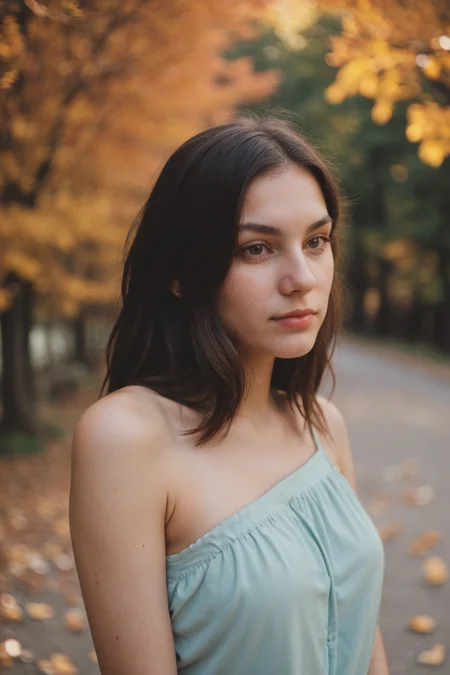
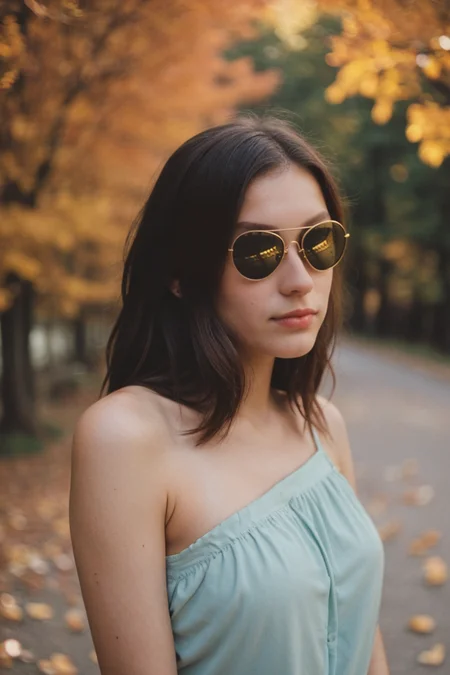
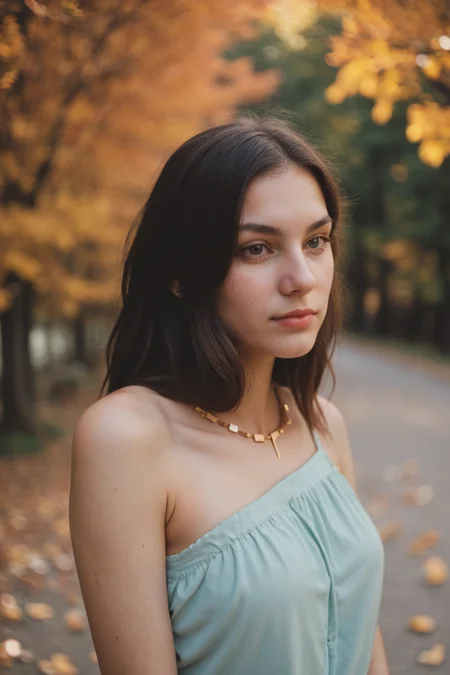
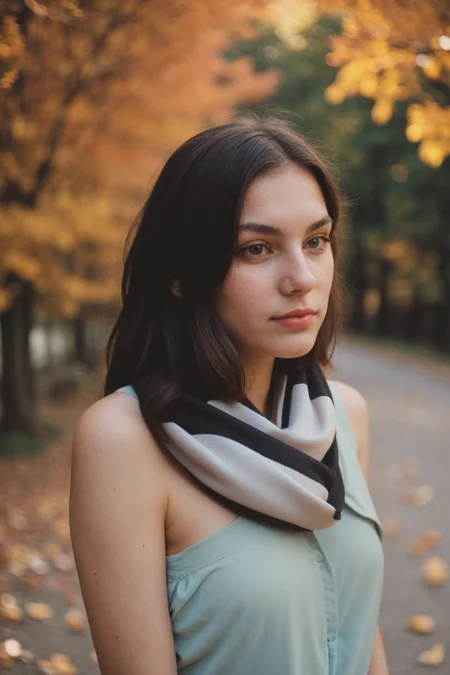
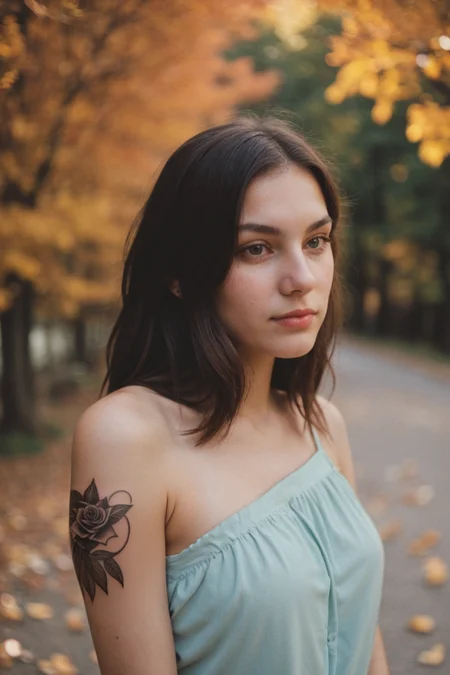
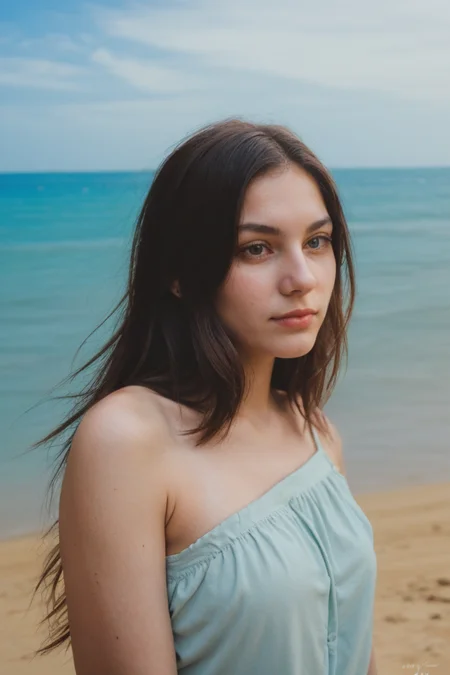
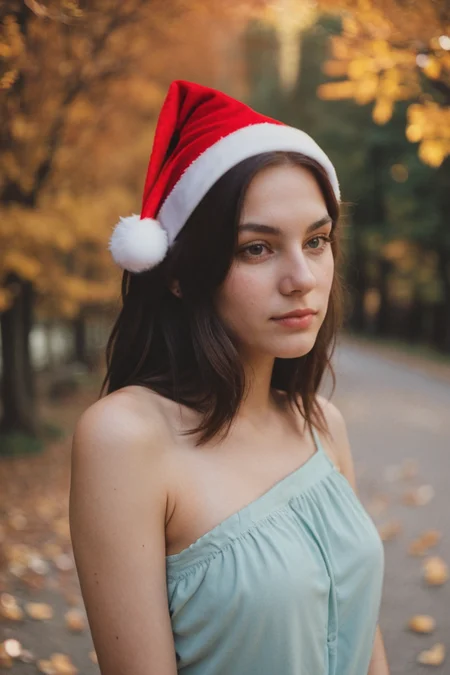
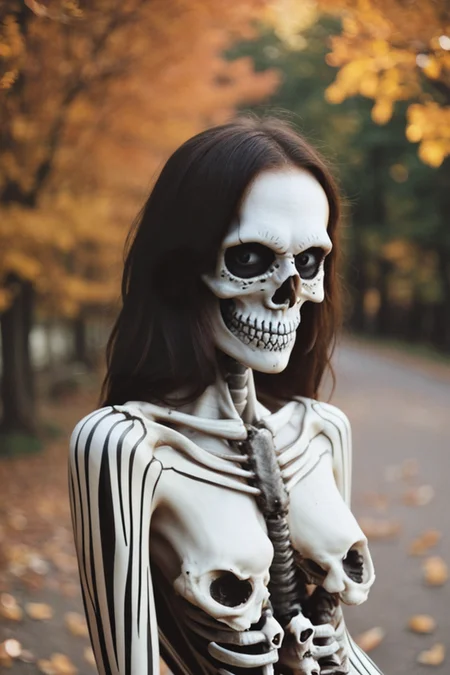
Welcome to epiCPhotoGasm
This Model is highly tuned for Photorealism with the tiniest amount of exessive prompting needed to shine.
All Showcase images are generated without Negatives (V1) to show what is possible on the bare prompt.
Whats special?
The model has highly knowledge of what a photo is, so if u promt u can avoid using photo. If the prompt tends to be fantasy like the model will turn away from photo and u have to tweak by prompting and/or negatives.
The model can do various ethnicities well, so try them out.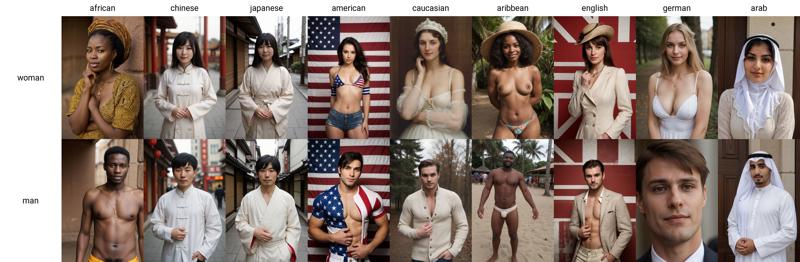
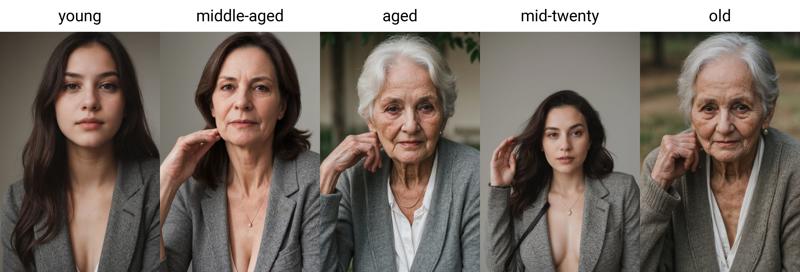
Age is also well trained and known by the model, so try them out too.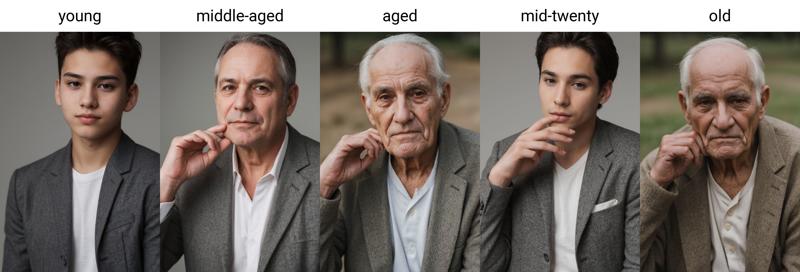
How to use
use simple prompts without "fake" enhancers like "masterpiece, photorealistic, 4k, 8k, super realistic, realism" etc.
don't use a ton of negative embeddings, focus on few tokens or single embeddings
you can still use atmospheric enhances like "cinematic, dark, moody light" etc.
start sampling at 20 Steps
no extra noise-offset needed
Additional Ressources
Style Negatives: colorful Photo | soft Photo
Useful Extensions
!After Detailer | ControlNet | Agent Scheduler | Ultimate SD Upscale
⭐ Feel free to leave Reviews and Samples - and always have fun creating ❤
Description
FAQ
Comments (111)
Me: bruhhhhh new epicphotogasm!
also me: bruh he just released one a couple days ago
also also me: YOU SHUT YOUR FILTHY MOUTH, YOU D/L IT AND YOU LIKE IT
I‘m sorry I won’t disturb again 🤭
Man this man is not sleeping! Another day, another version. Now i am really confused which one to use for realism and controll ability. Thanks <3
by the way, can i ask you where to put those inpainting models? (auto 1111)
@MadAImaker Same models folder as the normal checkpoints, then u have to switch to inpainting model in img2img tab inpainting to get desired results
@epinikion thanks, could you tell me what specific topic did you try to fix with this new z version? and why should i use it? (already downloading)
@MadAImaker It supports more different styles but also keep focus on photorealism. Analog Style should also blend more through if you prompt it. So it is more versatile overall and should be a good base model now.
right before the weekend too lmao
How can I fine tune this model on my images can someone please point to a working guide for this model
I was creating wonderful realistic pictures with EpicRealismV5, then epicPhotogasm arrived, but when rendering another woman, epicPhotogasmX appeared, which made me create a hundred of incredible pictures, then epicPhotoGasmXPlus arrived, which made me create a hundred of yet another incredible results, then epicPhotoGasmXPlusPLus knocked at me: "Hey, test me!", then yet another hundred.... Knock Knock... I ended up giving coffee to epicPhotoGasmY. When she left, I started creating another hundred when epicPhotoGasmZ from another Dimension attacked my house!
I apologize, I will stop now 🥸 Have fun creating
I have work to do and I am not going to get a thing done if you keep releasing bangers!
Trying out Z right now, and so far its really great.
We are out of characters boyz .
This guy tomorrow : New version ZProMax
or Z+ Z++ Z1+...
Several languages have additional characters, and UTF-8 has plenty of symbols after Z :D
and looking forward to it~!
Yay another inpainting Model is out. Gonna try right now😁
Epicrealism v5 inpainting and epicphoto z inpainting, which is more suitable for general themes? people, animals, scenery, daily necessities, etc.
What is the difference between Z, Y, and X?
No way to know, it's impossible to load one model after another to check their differences, if any, unfortunately.
@Zenyth There is a way, Download them all, set them all to xyz plot script and launch it, you will see how photos change. Dont forget to turn on the draw a legend fc
@Zenyth I assume that the model creator knows what they did in the new training
The letters ☝🏻
@epinikion XD... What else? I mean, is there any improvement in Z over X, or they are just different?
Different dataset? Fine-tune of X/Y?
@nrofis Z is V1 of epg with most successors during the trainings with Block weighted merge to get back the versatility of the model. So this model should be capable of many artstyles and keep focus on photorealism. For high-end photorealism probably the last versions are better.
@epinikion Thanks!
@martinvanis2241 Yeah, I was kissing... er, what? autocorrect? I mean, I was kiDDing! Anyway, epg V1 is my favorite but I haven't tested yet XYZ versions yet, but I tend to do those kind of "my favorite version of a model" with "the best stuff added to the most recent one" merges myself, so it's great to see epinikion doing the same to create models that are the best of all worlds.
you don't know what you're doing, right?
please ...
What do they do within 3 days to improve the model enough to make it worth uploading?
and anyway one main-face :D
???
When I try to make the Pikachu on the cover with the same prompt, I get very poor-quality results. What is the process used to create the cover photos?
You’re missing the embeddings
https://civitai.com/models/60178/easy-photorealism-v10 and my epiCnegative
@epinikion not the embedding. Even the woman with the red shirt and white ballons looks corrupted:
1. https://orchestration.civitai.com/v1/consumer/images/846C28FF5AE07F4263933CFEFA4F10EEB533D8F5A706A274EB686A08ECDADE93
Much worse than yours... What am I missing?
@nrofis The aspect ratio is different. If Ure using the civitai generator, there also is no hi-res fix and different sizes.
@epinikion do you use Automatic1111 for them? If so, can you please share your configuration? I don't get the same quality even there
@nrofis I do, everything you have to know is there. Copy the generation data from the button in the civitai picture into a1111 prompt and use the arrow under the generation button. Then everything is filled out correctly.
@epinikion I don't know, that's what I did, it doesn't look the same. The woman with the red shirt and white balloons looks slightly different with broken fingers, and the raccoon example is... nsfw?... https://ibb.co/wpDG3jD
What am I doing wrong?
@nrofis probably the VAE is not found. Can be checked in console. Than use your own VAE. Maybe u have the the GPU seed activated in settings. I don’t know probably some config in automatic1111
@epinikion VAE is loaded (per terminal). Both CPU and GPU seeds look different. I will continue to investigate. Thanks
Btw the raccoon prompt contains a typo. Should be "raccoon" not "racoon" 😅 (didn't fixed it in my tests though)
Z is the best photorealistic model I have tried so far. Splendid. I'm actually very impressed!
It seems like new versions handle native high resolution way worse, before i was able to get perfect outputs in 1024x1024 and now even 896x896 makes problems :(
The Z-inpainting is wild. The things you can do to normal photos makes it feel like you're on god mode. If you know, you know.
wow !
do you guys use the inpainting model for ADetailer or just the regular model? curious because Adetailer lets you switch model and technically its inpainting, so should use the inpainting model amirite?
is there a specific VAE which works best with this model?
I normaly enable in the Automatic 1111 Webui the "SD Vae" Select Field and change from automatic to vae-ft-mse-840000-ema-pruned, this gives on my prompt-sets on all my tested models (300+) the best results. Sometimes the 560000- vae gives a little more crispy tattoos or fashion-details .. but these are nearly impossible to detect. If a model is to "oversaturated" it sometimes help to switch to "none".
@joge25 vae-ft-mse-840000-ema-pruned is also what I use predefined
fantastic, this is what I was already using. thanks guys.
I use either mse-840000 or klfanime2, despite 'anime' name its actually good for photos
and another one
@all .. Version Y seems on my prompts (also with higher Resolutions) a little more anatomy-correct than Version Z. How are your experiences?
Same. I had lots of weird limbs in Version Z. The earlier versions seem to have more consistently good limbs.
What's the difference between all the non-inpainting models? I love Z and Y, but why does X have so many downloads?
Is it possible that it's because X is earlier?
@bomb4u never!
Should we stay with Z or Y as prominent model???
Vote: 👍= Z ❤= Y
I vote for Z, Its really more flexible for adding photostyle loras, like light and offsets.
Y looks more photo-realistic than Z. Z has some anatomy issues.
I just did some pretty darn detailed testing on this to compare Y, Z, analogmadness60, and epicrealism. I used a variety of single female subjects in a variety of detailed backgrounds and scenes. I used some shadow loras as well as some NSFW loras. I honestly prefer Y for NSFW stuff right now and Z for other uses....
Overall scores:
240 - Y
233 - epicrealism
226 - Z
221 - analog madness.
Notes:
1. Y and epicrealism were REALLY good at honoring shadow loras
2. Z and analogmadnress were pretty bad at honoring shadow loras
3. epicrealism was the best at honoring NSFW loras with Y taking seconds= place. Z was last place.
4. Z had the BEST backgrounds and background details, by far.
5. Y was the best at honoring the descriptions of people in the prompt, but Z was best at fleshing out more details such as skin pores, facial detail, etc.
z is waaaay better
@imbrium201 Thank you for that in depth testing! ❤️
@imbrium201 I was testing Z by adding loras like skin slider, add detailer, exposure slider, lit and more details with lower setting around ~0.1-0.4, I really liked the results as they kind fixed most of those problems you've identified.
@Primaveri Awesome feedback! let me see if i can fine tune my settings for Z :) @epinikion I love both!
I think that V4-One4All is the best version. It's completely understands what is professional photo. Skin indistinguishable from natural. Lighting effects is just perfect. And unlike latest versions V4-One4All not tending towards "artistic" effects like sepia and monochrome (those are my personal dislike, cuz in my opinion they kill good stuff and not give anything worth looking at in return).
Um, I gotta say I prefer Z. I tend to generate the same exact images of the same person over and over and over again. I tell in one look from generating an image of Adelaide Kane, whether or not its better or not. Z Adelaide Kane generations just look and feel better.
Sorry there's no technical babble to go with it but I just did not like how Y looked in its generations. So, I say, Z should be the prominent model.
What were the typical image dimensions this checkpoint was trained on?
768 up to 1024 different datasets, mostly aspect ratio 2:3/3:2
I found that epiCPhotoGasm is the most photo-realistic model based on 1.5. But it still has problems with hands and fingers. How can it be fixed?
with hands its all in the prompt and dont expect adetailer to save you either , instead set its denoising very low like 0.15 low and just let it clean up the lines and add detail. you have to prompt for the hands to be how you want or , one thing that also can work is like find a fantasy western style art not digital or anime lora( you set its weight low like 0.2 but you prompt the hands heavily like (((insane detail fingers))) they tend to drawn hands with a lot of detail but in the same position a lot. This gives SD better options it seems. its still a crapshoot in some ways but if you set a batch and let it go you will get some with very nice properly dine hands with quality detail. Outside of that inpainting meticulously one finger at a time supposedly works but im too impatient for that .
Controlnet is best for consistent hands.
@lizardbeth21908 But what can I do that with all the tricks I keep getting hands like: https://ibb.co/mNCvq8C
@Nobodybutmyself with openpose? I also get broken hands even with higher weight for the ControlNet (if the object is far and the hands are relatively small)
@nrofis I never use openpose. I'd highly suggest finding a picture you want to use or an idea that you can build a pose off of to use other options. I only mainly use Lineart/Depth/IP adapter. Stacking these controlnets can be super strong to getting guaranteed hands no prompt required at all. Even alone they seem to fair well, but they pretty much guarantee all 5 fingers to be there at all times as long as map picture is good enough and you have the correct weights.
@Nobodybutmyself yeah, that's obvious. I use that. But when I try to generate "new image" (without reference one) I got stuck with the fingers
This is just a joke. Do not take it seriously! I'm just trying to be funny.
Maybe don't generate hands? ;)
Okay, really bad dad joke over. Personally, I try not to focus so much on hand generation. I ignore hands in general, mostly because I'm not extremely attentive to AI art but I am extremely attentive to AI art. What I mean by that is, I pay attention to other details.
I prefer proper proportions over good hands. I think AI training needs to get better to where hands are a staple rather than a feature of correction or hit and miss. (Not placing blame on generated models. The blame falls on original training data, i.e og versions such as SD 1.0, SD 1.5, SDXL, etc.) Happy to have the technology sure, but its those finer details that are normal to us that matters.
We enjoy excellent symmetry, we're humans. So we see a symmetrical person, instinctively, they just look better. At the same time, we're human. Symmetry is all over the place for people. We ignore the tiny imperfections on people. We'll probably focus in on it more in a still shot rather than a living breathing person, but for the most part, we're very forgiving for real people.
But we tend to notice off things in images, such as, crap generated hands. For me, its an extremely unique phenomena. One of the determining factors of attraction for me is the state of your hands. Basically, you either have ugly hands, average, or pretty. So as you can imagine, hands really stand out for me. I've trained my brain to ignore generative hands, because its not really a staple feature of SD.
When it is a stable feature of an SD version, then I'll start getting picky. Cause hands matter.
But for now, Eye symmetry, and body proportion is my main concern. (Sometimes shoulders come out to wide or I get some fat legs that don't fit the body. Just weird junk like that.) But that's my take on hands. You can completely ignore this message after all. It's just my personal preference to ignore hands unless they're distressingly bad or ill proportioned.
@superjosh250 I value your opinion but disagree with :) I think generating good hands is not less important than generating a good face and body. Just to make it clear, I'm not talking about ugly or pretty hands in terms of proportion or texture, I'm talking about extra, missing, or broken fingers, like these: https://ibb.co/fYnHcg7 https://ibb.co/rtDQzst
@nrofis No I feel you on that. Um, probably best to just mess with your prompt to negate bad hand generations as best you can. I don't really use controlnet as some suggested unless I want something very specific. In my experience it's fudges with my results. Could just be cause I'm using an AMD GPU or something else.
A couple of things you can do is one, get a bad hands negative prompt. That helps. Second, look at all sorts of models and look for negative prompts and specifically anything with limbs. You don't need a whole paragraph like some people do but a few keywords could go a long way. I'd write some of the negative prompts I use but you need to find what works best for you. Look at prompts here, Realistic Vision, RealPixar or RealCartoon... And others that pique your interest. Grab pieces of the negative prompt regarding anatomy and then go to town with testing. See what's consistent and keep it.
You can start by looking at my post and how I prompt. Check EpicPhotogasm v3.1 to see my post. Doing a Z run now, but trying to perfect my prompting to get what I want. But you should be able to borrow from my negative prompts.
@superjosh250 Tried so many negative prompts. It is not immune. That's why I'm asking here for another methodology. Because I have flaws in all the methods I tried. I hoped that someone has a robust solution to this problem
@nrofis Oi... well sorry that my suggestion didn't help at all. Hopefully there's a more experienced prompter that can help you.
I will say in my personal results, my images are quite consistent with the odd ball of a really glaringly bad hand or extra limb here or there. Out of 10 images rendered, I might have 2 with bad hands or extra limbs.
Last thing I could suggest, is try not to artificially bloat your negative prompt so much or render batches instead of one at a time and sift through the images for the best one. And maybe in the positive prompt try things like waving or arms crossed. That might help out a bit. Other than that, I've got nothing left in the tank. You might need to use the all-powerful and wise google/reddit for suggestions. OH! And keep in mind, that you want consistent results not perfection. SD is far from perfect right now. So maybe have the goal of 6 out of ten images have decent hands. Any less than that is unacceptable.
Okay, no more ranting. Hopefully later on today, I might post some decent Z rendered images. (Probably without hands. ZING! ;)
Just use positive and negative prompt that generate great hands. U cant just rely on a model to do everything. Even if 1.5 do everything quicker and better than XL, dont suppose u dont have to write a good prompt.
I just wanna mention that negative prompts like "bad hands,extra limbs,extra fingers" and similar kinda stuff do nothing in terms of hands problems or any sort of anatomy problems.
You just putting trash in your negative prompt that would in many cases be visible on your rendering quality.
Diffusor actually is not even aware of this,and everything is just a pure luck.
ControlNet can help but its still not perfect,same as embeedings and LORA-s.
Some models are better then other and this is what it is.
SD models have problems with anatomy and there is not much you can do,asides from inpainting.
SDXL models are much better,but they also have they own fair shair of bugs like speed and other stuff.
With that said always render at least 5 images in the batch and then you can select which one you wanna use or do corrections in inpainting booth.
Really great model , could be my new favorite. :) Combination with AnimateDiff is fire....
Your work is superb. I tried some very good SDXL models (and they gave good results) but came back to yours. Feels much more authentic and real. It's not peculiar to your model I know, but just wish we could really fix the hands issues in all of this SD stuff :)
I tried my best but that’s a SD flaw. SDXL needs more finetune time maybe to be good realism and hands, it’s still on a good way https://www.reddit.com/r/StableDiffusion/s/bTUifyUsUm But I love the lightweight of 1.5 models.
so many new versions... but what's different about them all? apart from the obvious inpainting of course.
I asked the same question. This is the answer: https://civitai.com/models/132632?commentId=283854&modal=commentThread&highlight=283999
@nrofis doesn't really help other than Z is the best version? If I am reading the reply right
@Meaca_G U can always check the about version section. For more variety go with Z if u want to boost realism with less flexibility use Y or download all and do comparisons which fit your prompts the most.
from experience i'd say z is best and most flexible
@DevilLady now we have Last Unicorn... I can't keep up
@epinikion yeah, am not downloading them all just to compare to then delete the ones I don't want
Is there a plan to make Y (photo realistic) inpaint model version?
Since u can merge it yourself https://github.com/AUTOMATIC1111/stable-diffusion-webui/wiki/How-to-make-your-own-Inpainting-model i don't see any needs for it, but for completion i can add it.
@epinikion ho WOW I didn't know it is so simple. Thanks!
To anyone going for as high resolution as possible i found 1152x896 is a sweet spot. ~6/10 of outputs don't have any artifacts or deformations so try it out
What are your settings? I'm interested that you are getting artifacts. I've noticed on certain samplers this does happen. The DPM++ 3M sampler seems to create artifacts. But I've found artifacts are immensely reduced with a higher step count.
You're better off going 512x768 and then using the 4x-UltraSharp upscaler. An ADetailer can also help keep the faces flawless.
@EryxAtys nope, sd upscalers are mediocre and take a lot of time and i found that it's way better to just upscale with topaz gigapixel for example
@brassen250 i usually go for ~90 steps for that res and it works really good. I mean that's pretty much sdxl size so some problems are to be expected but still this model is really impressive
@DevilLady Yeah, I wish I could do that. Running an AMD card. Going past 768 crashes SD instanty. I could do 90 steps but it'll take triple the time. Gotta work smarter on AMD side. If I pass it through the hires fix, I can upscale it by 1.5 max. After that I run out of VRAM. Sucks to be on AMD side for AI art. Love my card but not so great for quick dirty render runs or extreme detailing.
@brassen250 well that sucks indeed. You could always consider selling your current gpu and buy for example rtx 3060 with whopping 12GB VRAM. It has pretty decent price right now
@DevilLady I had thought about that I'd rather just save for a second top tier GPU in the first place. I'm getting crazy good gaming performance with my AMD card. So worth the investment. Besides that, I have a secondary PC that could use it. I'd just convert that PC to my main render machine. Besides, I'm sure with some more time, SD will get even better for AMD GPU's. Maybe not on the same level as NVIDIA but better nonetheless.
@DevilLady just curious, how long does it take you to fully render a one realistic high quality image and what is your gpu. I have a rtx 4070 and it takes me about 5 minuets and I don't know if that is slow.
@DevilLady Try '8x_NMKD-Superscale_150000_G.pth' for upscale. Works great for me. Olivio Sarakas recommends it in this video. https://www.youtube.com/watch?v=TrcwBSlczfQ
@bearsdfg I use a 3080 10GB with custom liquid cooling (I doubt that actually helps this performance) but at 80-120 steps at 1152x1440 I usually run about 4-6 minutes. I think the 3080s run a touch faster than 4070s, but I've been out of the benchmark loop for a while. I don't run hirez fix or upscaling, that's just base resolution for SD1.5. Sounds crazy, but I've found keeping standardized aspect ratios (16:9, 8:10 for portrait, etc) and playing around those values seems to generate better. I start at 20 steps, see if a particular resolution makes a decent workable image, then crank up the steps and tweak prompts from there. After that, inpainting and adetailer if necessary, then upscale once.
@DevilLady I've run over 100 images through Gigapixel. It totally botches faces and hair. Respectfully, you have no idea what you're talking about. Get a better graphics card, and then we'll talk.
@bearsdfg my rtx 2070s takes around 6-8 minutes at ~1400x1024
@EryxAtys no need to be so high up your butt dude, Respectfully you have no idea how to use topaz because it looks slightly worse than ultimate sd control net tile upscale and it's 20 times faster. I'm perfectly happy with my good old rtx 2070s
Details
Files
Available On (1 platform)
Same model published on other platforms. May have additional downloads or version variants.