
Join The Tinkerer on Whop. Membership gets you early releases, private tools and a bunch of extra stuff.
👉 Join on Whop
💬 Join the community for support, free tools and early news on Discord
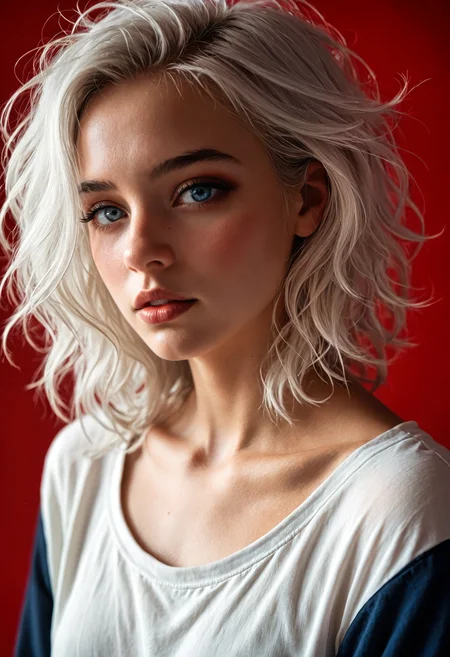
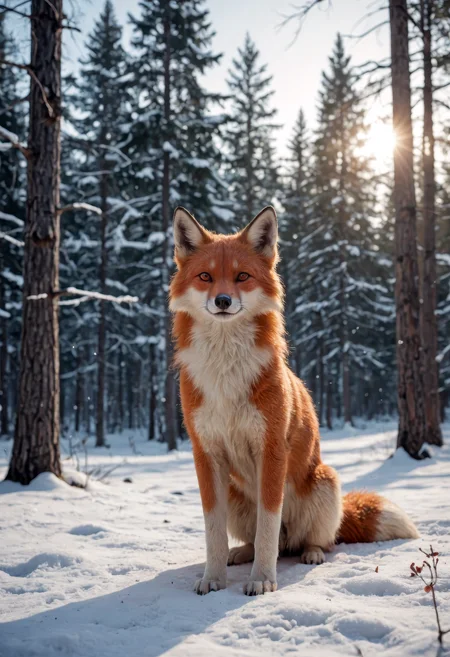
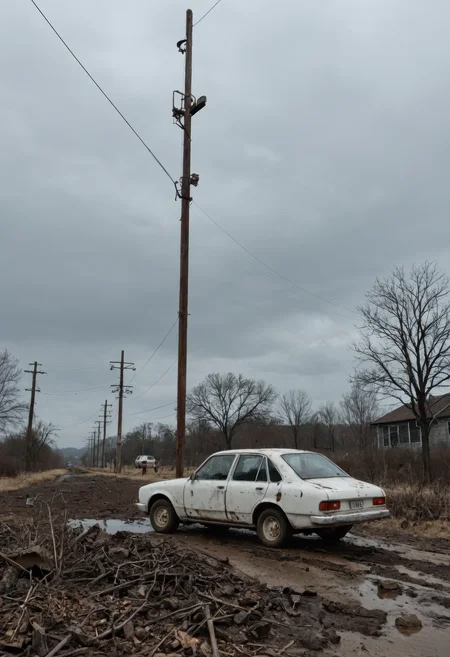
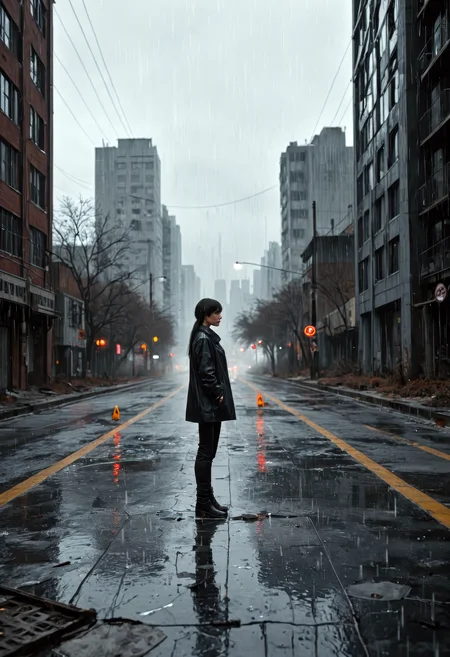
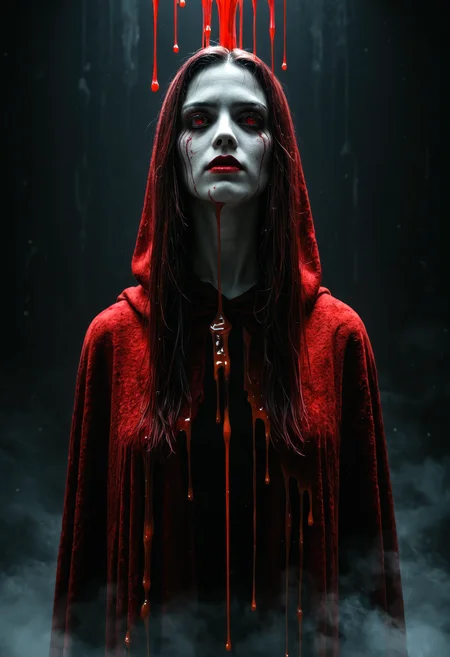
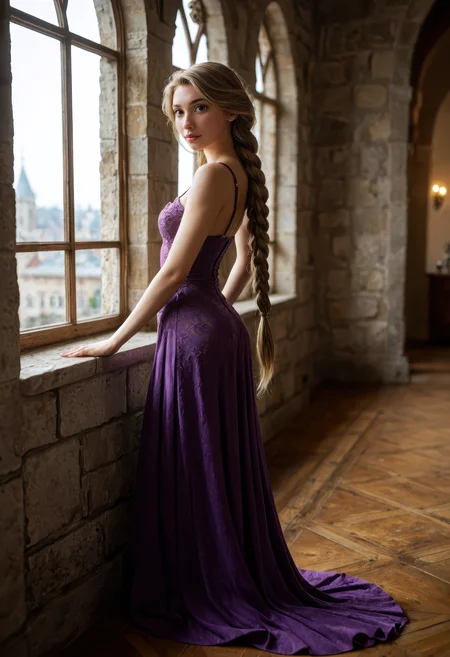
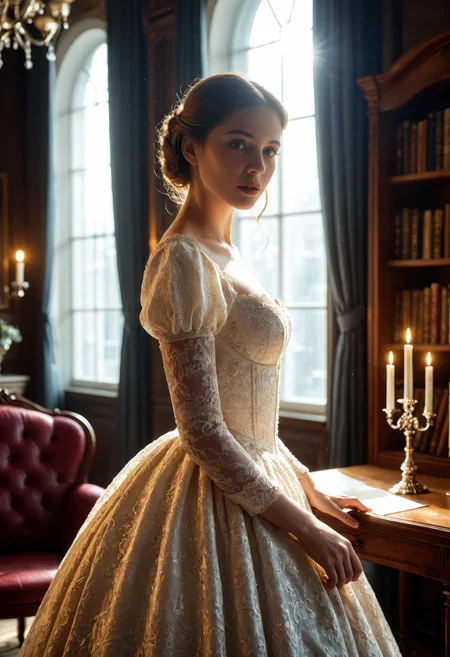
CyberRealistic Pony blends all the charm of Pony Diffusion with the striking realism of CyberRealistic. The vibe? You get everything from adorable to bold (sometimes both at once) with crazy-detailed textures, moody cinematic lighting, and a hint of AI flair.
📘 New to Pony? Read the Pony Prompting: Master Guide - score chains, control tags, structure, and ready-to-use templates.
🧠 How to Use It
Sampling method: DPM++ SDE Karras / DPM++ 2M Karras / Euler a
Sampling steps: 30+ Steps
Resolution: 896x1152 / 832x1216
CFG: 5
Clip Skip: 2
✅ Recommended Prompts
score_9, score_8_up, score_7_up, (SUBJECT), Negative Prompt examples:
score_6, score_5, score_4, (worst quality:1.2), (low quality:1.2), (normal quality:1.2), lowres, bad anatomy, bad hands, signature, watermarks, ugly, imperfect eyes, skewed eyes, unnatural face, unnatural body, error, extra limb, missing limbsit's also possible to remove the normal pony tags:
(SUBJECT), Negative Prompt examples:
(worst quality:1.2), (low quality:1.2), (normal quality:1.2), lowres, bad anatomy, bad hands, signature, watermarks, ugly, imperfect eyes, skewed eyes, unnatural face, unnatural body, error, extra limb, missing limbs🛠 ADetailer Settings
Adetailer model: face_yolov9c.pt
If you only want the main face being refined set 'Mask only the top k largest' to 1.
☕ Support
Enjoying the ride? [Buy me a coffee] – but only if the Pony delivered something you actually like.
⚠️ Disclaimer
This model might generate sensitive content. Whatever you make with it is on you. Don’t do anything weird and try to blame the horse.
🔗 Links
Backup location: huggingface
💡 Need Better Prompts?
This custom ChatGPT was made to whip up top-tier prompts just for this model:
🔗 [Try it now on ChatGPT]
Description
All sample images are 100% LoRA-free
This is a update over V16.0: same vibe, just a bit more polished and refined.
FAQ
Comments (86)
Can someone recommend a good workflow for Text to Image generation using this model? Thanks!
set your filter in civitai for comfyui. Save a picture and drag it into comfyui. Many people leave the metadata in the pic so it will populate the workflow in comfyui. If you open the picture in windows you can look at the comments field. The comments normally store the workflow.
Use forge UI is my recommendation.
@bobby888 That is what I use as well. Waaaay easier and faster and you can get most of the information out of the comfyui comments/metadata and piece it together. Get the png info plugin and you can drop the picture in it but the metadata format for comfyui and forge ui is different so you will have to piece it together. comfyui metadata usually just gives the modelid instead of the name. you can use the civbrowser plugin to figure out what those are. good luck!!
@b0bsm1th Thank you! I'll give this a try.
@rfsecondary883 my pleasure. Let me know if you get stuck or need some other info. There have been quite a few people who have helped me and I want to pay it forward. Cheers!
SwarmUI is best / easiest
@cleonthethird easier then Forge? Never used it...
@Cyberdelia I use a lot of things, but I'm moving more & more over to SwarmUI. It's biggest advantage is that it has a fully working ComyfiUI backend which you can switch over to in 5 seconds (or without even firing Swarm up). & SwarmUI gets the latest/most updates to support new things/optimisations.
Personally, I'm not a fan of all this workflow/node bullshit lol. It's just too time consuming, & clunky most of the time (especially if you need to edit someone else's spaghetti workflow). With SwarmUI, you have the added control of that, or if you don't need it, & just want to change settings quickly, then you have the Forge like UI frontend of SwarmUI you can use instead.
https://github.com/mcmonkeyprojects/SwarmUI If anyone is curious; scroll down & "Download The Install-Windows.bat file". You basically just double click that, & it auto-downloads everything you need in 10mins or less. It's the easiest setup ever. For n00bs; It'll also automatically auto-download any clips or VAE you need for checkpoints if you have the wrong one, or none at all.
@Cyberdelia Yes! Easier and better UI! As simple as you want to it to be with flexibility for advanced customization (and even comfyui view if you really want, thoI just use comfyui for that hah). The project is also actively updated with new features/improvements. Highly recommend!
@cleonthethird Nice. I don't think I will change it for Forge Neo. I have created a lot of custom extensions for it which are essential for me.
invoke is your pro tool
@shawdar420 true it's the fancy pancy one
@Cyberdelia thank you for all your hard work,
@cleonthethird I tested it and I disagree, for now. It is fast and I like the setup and combination with comfyui. Why I will stay with forgeui for now: It is not flexible and comfyui is not integrated well enough with the main GUI. For example when I use Reactor and want to run the face fix after the face swap, but you can not change the order. You have to load it in comfyui and change the order of the nodes there, but if you load that comfyui into the main GUI it will make the config menue messed up and you can not save it.
Also, advance settings are to complicated and you have to search for them deep in different tabs. It is not intuitive.
Dev has to look for a different solution and also has to change the GUI for that to make it more intuitive.
The thing is, you have a good and intuitive GUI already with A1111 and Forgui, but you want to make something different and NOT better. You see that many times.
Focus should be in optimizing something and using things that are already good.
@bobby888 Tbh, I wish elements of this weren't true....lol. Because I actually prefer ForgeUI design, but there's just some technical areas where it just doesn't cut it for me (even fails badly). Hence why I switched over a lot of stuff to different things, & SwarmUI became the best of a bad lot of options for me (most of the time).
That's not to disrepect any of the developers involved for any of them, because I think a lot of the UI is just preference based.....but it still leaves me wanting more/something else (basically A1111/Forge, but updated/supported like ComfyiUI main; which seemingly just doesn't exist. Closest thing seems to be Neo).
"Also, advance settings are to complicated and you have to search for them deep in different tabs. It is not intuitive." - I use the search function for this btw (at the very top of the menu). You can just just search for the setting you want (because like you said, going through all the tabs is a bit clumsy at times).
What the heck is Cynderella Ralston??
Cynderella Ralston? Oh, that’s easy. It’s basically like 42.
You know… the Answer to the Ultimate Question of Life, the Universe, and Everything.
I thought that was your stage name when you do your full monty routine ;) lol
I just wish it had more expressions. You're pretty much stuck with "happy" or "blank". I wish I could use this to get the same results as z-image, but it just doesn't get all of the personality I want in an image generator.
I don't see how it's much of a problem. "happy" or "blank" are about the whole range of nuanced facial expression the average anime weirdo can distinguish between, anyway lol.
@ShadowCell Just for fun, use any animated model and ask for an expression. like, anything from pony, any of the others. if you're unable to distinguish between "happy" and "literally nothing going on" and "anything the f else" you might have a neurological order, but don't assume it's common.
@gingkgobalboa *Slow clapping ......that would be the joke lol.
Which is funny, because if you aren't autistic.....then I'd say that would have been very obvious; especially the "nuanced facial expression the average anime weirdo can distinguish between" bit.
That said, it was just a bit of fun; I wasn't trying to actually demean anyone with ASD. The way you overreacted just there though, kind of makes it seem like you actually do like to take cheap shots at soft targets for real.
I noticed this model loves to add in nudity, which normally wouldn't be a problem for me as I love making lewds, but when I'm actively trying to produce SFW content and get exposed breasts or more, than it's annoying, lol.
Haha, you're absolutely right!
Yeah, I will go back to older models I think. the newer releases just seem to be hard not being NSFW
@Veesyr Once when I was generating an image, I don't know why it directly produced a pornographic picture of an old man and a beautiful woman having sex. The key point is that the child was right beside me, which scared me to death.
@poolman29781 @Veesyr Mmm, what prompt did you use? I don’t get the impression it would spontaneously turn into a porn scene if the prompt is simply “a man reading the newspaper on a train.”
That said, it’s a valid concern, and I may need to make a more toned-down version that behaves more like the older ones, assuming those didn’t have the same issue.
I also suspect most people probably won’t mind this behavior, and may even choose this type of model because of it. But it shouldn’t be too spontaneously horny.
@poolman29781 You can also send me the prompt in a PM. I’m really curious what caused that, especially if you used a 100% SFW prompt.
@Cyberdelia I used the prompt words of cyberpunk, planning to generate a male punk with cybernetic limbs. The prompt words can't be found now as they were randomly generated. There was no adult content at all in them.
v17 is sheer perfection, it adheres to race/ethnicity inputs without over weighted prompts so much better than I've ever seen with this particular model, plus it recognizes mixed race prompts.
can you give example for mixed race
@warphorizon for me, it seemed to recognize prompts with combinations like "Peruvian, Asian" as dintinctly different than "Asian" or "Peruvian" by themselves as it was apparent in the face that it was a new person, or even certain ethnicities like "Korean" as unique from the overall "Asian" race. "Asian" is still a very powerful prompt by itself, so the mixed "Peruvian" had to have a strong weight to come thru in the resulting generations.
You tried Qwen 2512 yet, or considered doing a custom checkpoint with it?
I can't understand how it's not more popular, because it's f' amazing! Oustanding prompt adherence/natural language understanding, & image editing capabilities (makes FLUX look like SD3 by comparison lol). Also way less censored than FLUX.
It's honestly the most fun I've ever had with an AI image checkpoint; it actually works like I thought AI image checkpoints would work when I first started out.... (that is to say; you actually can just ask for what you want in plain English, & you'll actually get it). Compared to everything (but especially SD1.5), it's just insane how much more advanced it is now. I was starting to lose hope with AI images really going anywhere until I tried Qwen 2512. Hell, the way I'm talking about it, it probably sounds like a shill endorsement....but it's really actually just that good! Lmao
I'd really like to hear your thoughts on it if you've tried it, & especially why it's not appealing to make custom models with?
With the 4 step Lora I can even spam out images at 2000x1500 native res if I want; but it's of course better to work with the resolutions it was trained with for the most part. But yeh, for me it looks better & generates faster than FLUX, & seems to be better in just about every way. I mean with the 4 step LoRA it can almost spam out images as quick as SDXL.....whilst also looking massively superior (perhaps just as fast, if it wasn't a waste of time trying to generate those kind of resolutions with SDXL & the terrible anatomy that would follow lol).
I've generated literally thousands of images already with it, but I'll try to show you some of the insane images I've created at ultra widescreen resolutions......in like 30 seconds or less! It's absolutely crazy.
Qwen has a real problem with plastic, CG/AI curse skin. And less than convincing subject lighting. Even looking at scene composition it's often very...awkwardly contrived. Pony/SDXL can also look very fake. Does, generally, without help. So does Flux (non-Krea). But when something like Cyberrealistic Pony hits, you don't even need a skin helper lora and it can have much better, more naturalistic and photographic looking lighting.
That sounds a million miles off the experience I'm getting.
https://civitai.com/posts/27351245
https://civitai.com/posts/27351177
It generates all these in just 15 seconds each. These aren't rare cherry picks either.....just slop prompts, & it'll bang these out 95% of the time. At one point I actually left shortly & came back, & looked through the image gens after. It generated over 100 images.... only 3 of them (yes 3) had minor anatomy defects.
PS - I should warn anyone reading any of this btw lol; I've seen other people's image generation times, & I immediately thought they must have configured it wrong.... from what I can see, it doesn't play nice on old/weak hardware, so don't get your hopes up. On the other hand, if you have a high end GPU then Qwen 2512 is an absolute banger (the older models perhaps not so much, I haven't really used them tbh to comment on how big an improvement has occured since).
These are just boring spam pics, but when I have the time I'll upload the really interesting ones; & they are insane! Prompts like "Catwoman appears at a window in the background with a bat signal appearing overhead as a light above her shining, etc, etc" Literally paragraphs of this nonsense......& it F' does all of it......EXACTLY AS YOU ASK! I kid you not. Just to be clear, this is just random background nonsense on the end of the 4-5+ paragraph long prompts; & it still nails it! It's insane.
@ShadowCell that's better than most but there's still a very artificial quality to the skin. Like it was trained on heavily photoshopped, uncanny valley magazine images. The light is also very unnatural and biased towards contrived, modern studio lighting.
@BRai4now something wrong with your generation settings, prompt, or what type of attention your using, or your on the old qwen model which did have worse quality. qwen 2512 looks better than flux 2 max, chatgpt image 1.5, and nano banana 2 a lot of the time
@goeypants400 you people keep saying that and I don't see it in any of your generations. Synthetic, artificial skin and contrived, unnatural lighting. Loads of tells it's generative.
I'm commenting on YOUR gens and other examples out there. Not issues with my settings.
@BRai4now so you tried it yourself or not? if your just looking at what other people made, a majority of them dont know what they are doing like you and the image comes out like shit. horrible way to compare models bro. generate images using same prompt on your pc and compare with other BASE models like SDXL base instead of pony, dumbass, qwen 2512 will come up looking the best without a doubt. your comparing this model to another model thats been finetuned and with loras on thats retarded (but it beats them usually still). if your asking for 1-1 real life light physics then no model does that. your comparison to pony finetunes in lighting or skin is flawed as fuck, they are firstly finetuned with millions of images and unet models do textures and lighting different than DIT models. there isnt a single sdxl based model that can make a image not looking "generative". put a few loras on qwen 2512 and prompt for amateur and it looks like real life, retard over here comparing a massive retrained finetuned model to a base, imagine a qwen 2512 trained on 10 million more images then only you can compare it to pony
@goeypants400 how about you go fuck yourself little boy. Cry more about shit that doesn't concern you and miss every point along the way, while just saying more shit that's both objectively nonsense or stupid while making claims you don't back up and can't even be bothered to point to anything remotely backing what you say.
@BRai4now bro doesnt have enough braincells to even comprehend basic shit about ai models, lmao this is why you think pony looks better than qwen 2512. what a dumbass i barely understand what your saying, i didnt make a single claim just stated facts. you must not even have your own pc to generate images. dumbass probably didnt even know pony is an SDXL model LOL. how about you shut the fuck up nobody wants to hear your dogshit opinions
Any recommendations for an NSFW prompt generator? The ChatGPT one are great for SFW, but not so much for NSFW.
consider using Grok... works very well with NSFW
venice.ai. I wish someone had told me about it sooner. They are open source models that it uses, but it is large parameters so it does justice and it even has a "disable telemetry" option along with anonymizing. I have quantized versions of the same ones locally, but it isn't as great with prompt adherence. If you want a free alternative, download LM studio and get abliterated models (models with NSFW filters are removed).
Regardless of which you choose both don't save data, venice.ai, saves to web cache locally and LM studio can be offline fully on your device. The only caveat is no web searches so find someone's prompt that you like for that specific model, ask it to find the structure pattern, and use that as a template.
If you decide to use Grok: don't ask for multiple images at once (e.g: generate 10 different images) because then it will generate them with 10 different verbiage styles which makes 10 different structures. Do it one at a time. This is why I personally prefer open source, it's less creative which is what you want with structure especially with generating the same patterned prompts.
Frugal tip: if you use venice.ai, Grok, or any web LLM, use incognito on a Brave or Opera browser (they have built in browser VPNs) without logging in. each time you close the window and open a new incognito you get a new free session. Endless free prompts. Hopefully this helps, happy generating!
does version 17 add more faces? ive noticed on version 16 there are only two or three faces essentially, you also cannot change eyebrows or certain details for said faces, also the prompt adherrance is abysmal.
I have the opposite problem. V17 is ignoring my prompting completely and 16 followed to the letter
I've noticed with the newer releases that the pony model get more XL tendencies which is not really good. Now it is really hard to get the nipples not visible with larger round breasts. Most pictures turn out topless one way or another, but in older versions this was not a problem at all. I haven't tried the 1.7 version yet, I will when it is out. I just wanted to say this.
Great
Been using 14 for the longest. Tried 17. No matter what I do, I can't get a closeup of a certain area of the body. Every shot is full body. Seems a bit stiffer than previous models about following prompts. I'll experiment further.
I am currently testing v17 and here is what I have found out until now. I thested the same prompts on version 8.5 that I am currently using, to be fair. So I will not criticise something that other versions can't do.
First, solo portrait was very good. Very realistc body types and colors. I really like that.
Unfortunately I found many problems. You can not really change the body type, like athletic or fit body.
With a bit longer prompts, the images become unusable bad.
It also has huge problelms wiht multiple characters and different camera angles.
Model can't be found by search when swapping model in generator.
v6.5 v7 v8 v8.5 v10 v11 v12.5 v13 v14 v14.1 v15 v16 v17 Comparison
1. https://civitai.com/posts/12315247 2. https://civitai.com/posts/17669190 3. https://civitai.com/posts/17695715
Update for v17
(all compared using exact same prompt & settings, just barebones vanilla CyberRealistic Pony).
(fyi - you can also click on the top image, then cycle through them with the keyboard).
Some Bonus Galleries -
1. https://civitai.com/posts/27333538
2. https://civitai.com/posts/27335978
3. https://civitai.com/posts/27336418
https://civitai.com/posts/27333538 First wave of bonus gallery images for v17
https://civitai.com/posts/27335978
https://civitai.com/posts/27336418
https://civitai.com/posts/27336525
(Will upload more) The comparison images use old (low end settings), these are higher end image outputs.
I saw someone else upload some pictures with my prompt data in the feed; so I thought I'd just add some things you can change.
Increasing to 35, 40, 45, 50 steps is all good (35 is a really good trade-off for quality/speed). Stop at whatever level starts to hurt performance & generation times too much. Sometimes going higher isn't even better, even just aesthetically speaking.
Euler A Karras is good (per the prompt data), but I also actually really quite like using
DPM++2M & DPM++3M
Also DDPM (it is often either really awesome, or really junk, but worth trying)
DPM++2S Ancestral is also nice; it creates a randomization sequence in the step count that's less linear, so you can get away with fewer steps, but it can also cause some erratic weirdness when you change steps (even by just 5 increments). This is a good thing, & a bad thing. If you use something like Euler, you can often increase steps to consistently generate a better quality image of a cherry picked image you like (& often fix minor defects with anatomy or fingers, etc, instead of going into inpainting/edit mode). On the other hand, something like Euler A will often dramatically change the whole scene composition if you increase or decrease a further 10 steps the same way.
SDXL/Pony just has an issue with sharp faces. On that note; here's my favourite upscalers
4x_foolhardy_Remacri (Everyone has heard of this one; it's cheap, quick, & good)
4x_NMKD-Siax_200k.pth (probably my favourite)
8x_NMKD-Superscale_150000_G (Also good)
4x_NMKD-Superscale-SP_178000_G (Also very good)
4x_NMKD-UltraYandere_300k (Trained especially for anime outputs if you're into that)
4x-UltraSharpV1 (Pretty good, but I prefer other options)
4x-UltraSharpV2 (Very good quality, but it comes at a noticeable performance increase).
https://openmodeldb.info/?q=4x_NMKD-Siax_200k There's a ton of options, & they're all trained for different things, so experiment & see what you like. Stick them in your Upscaler folder & reload your UI, & you should be good to use them.
SDXL/Pony is trained at 1024x1024 resolution basically (that's a box aspect ratio/looks a bit lame). Try to stay within that pixel ratio, however (if you go too high anatomy will start to break constantly! This is where upscalers come in.
1344 x 768
1104 x 896
1104 x 864
1200 x 968
There's some less standard resolutions that generate consistent/good anatomy images. Switch them around to change from Landscape to Portrait/vice versa. Consider what you're trying to generate....because SDXL/Pony will try to fill the image.....even if it doesn't really make sense! So take that into consideration to avoid weird stretched abdomens, etc, that stretch too long across the image frame.
Pro tips - Find you really like an image, but it has busted fingers or a third leg/hand popping out of nowhere like the monster from The Thing....
Here's some n00b stuff you can try to avoid going into inpainting/edit.
1. Increase/decrease step count by 5 increments.
2. Add a useless nonsense junk word on the end of a prompt; if it's so irrelevant it won't actually add anything to the scene, but it will change the image to a degree.....perhaps enough that the added randomness fixes whatever anatomy issues you're having.
3. Get in the habit of structuring your prompts neatly together; Style prompts, subject matter, setting/background. Use prompt BREAKS if you're going to have loads of different subject matters; this will stop them mixing together. This will save you headaches in the long run. If you're going to add something; don't just add it onto the end of your prompt.......add it to the correct section. Remember; things at the start of your prompt also have more weight than things towards the tail end of it!
4. Can't get something to add to your image? Use (Big breasts:1.2) (Big breasts:1.4) etc. Don't start too high, or it might really screw things up, you just want the bare minimum needed until you get the result ideally. This is really useful if you want something like Short Hair, but it's not short enough. (Short Hair:1.2) etc.
I'm tired as hell, so I'll fix this up later.
For the new people wanting a LLM to make NSFW prompts: Venice AI. It uses large parameter open source models and has a "disable telemetry" option along with anonymizing. I have quantized versions of the same ones locally, but it isn't as great with prompt adherence. If you want a free alternative, download LM studio and get abliterated models (models where NSFW filters are removed).
Venice AI, saves data your web cache locally and LM studio can be offline fully on your device. The only caveat is no web searches so find someone's prompt that you like for that specific model, ask it to find the structure pattern, and use that as a template.
If you decide to use Grok: don't ask for multiple images at once (e.g., generate 10 different images) because then it will generate them with 10 different verbiage styles making 10 different structures. Do it one at a time. This is why I personally prefer open source; it's less creative which is what you want with structure generating the same patterned prompts.
Frugal tip: if you use Venice AI, Grok, or any web LLM without signing in, use incognito on a Brave or Opera browser (they have built in browser VPNs). Each time you close the window and open a new incognito you get another free session. Endless free prompts. Hopefully this helps, happy generating!
Also, I'm not going to drop a referral code because I feel like that would be ill-intentioned to have a personal gain. v14 (for closeup shots) and v17 (for full body shots) are my favorites of the pony models, the Amateur v2 LoRA with those really is the chefs kiss of analog style.
https://chat.qwen.ai/ I've been looking for an alternative to ChatGPT since it turned to useless trash. There it is if you want something for good academic research (& no that's not a euphemism lol). Free Qwen 2.0 images (that's the newest unreleased model). (edit - Seems it's ended already, I hit a quota after 20 images the other day)
PS - it's censored. It will generate a woman in a bikini for instance without being a total cuck like ChatGPT though.
https://perchance.org/ai-text-to-image-generator (It's not great, I won't lie....but it's free unlimited, & can do xxx.....it's like SD 1.5 quality though. Thought I'd mention it for people with only a phone or total junker computer, & no money). I'm not aware of any other free 'unlimited' options like this?
If anyone else has any other good free stuff (not fake shill junk); keep em' comin' ^^
I have created instructions for Grok and it can now create perfect prompts from other prompts, images or ideas. And all NSFW.
Incognito mode does not save you from being tracked, fingerprinted and telemetrised dude. It is just about cookies. You are all so naive people here...
@ArnAbbas Tbf, they never said it did....no one did. Might want to work on your reading comprehension next time, instead of tone deaf, obnoxious rants. They were referring to bypassing free limits. "new incognito you get another free session. Endless free prompts"
& that last bit you claim about it just being about cookies is also completely wrong btw (even if they were talking about that).
"Incognito mode does not save you from being tracked, fingerprinted and telemetrised dude. It is just about cookies. You are all so naive people here..."
@ArnAbbas as @ShadowCell said, I never said that. In fact, I never even mentioned cookies, so I think that you may want to stay to your native speaking to avoid any confusion or kindly translate my words with a translator. Telemetry is not the same thing as cookies. Telemetry captures CPU usage, application errors, feature usage rates, network latency. Cookies collect session identifiers, login status, shopping cart items, preferences etc. (basically, anything to identify you)
Venice minimizes data collection by prioritizing local storage and decentralized processing. Similarly, you can disable general browser telemetry (diagnostic reports and usage pings) in the "Brave Shields & Privacy" settings.
Just in case you didn't put 2 and 2 together (by the name calling I will assume you did not): using Brave's automatic session wiping and Venice’s local-only history together ensures that your AI interactions leave no traces on your device or their servers, effectively decoupling your identity from your data.
Or you can just use Chat GPT, get angry at anyone technical in the comment section trying to help the community, and have your data audited by Sam Altman who will then show your data to Congress. Whatever floats your boat, dude. B)
@ArnAbbas bro nothing that I just said had anything to do with what I said or even implied. I'm geeking out laughing over here. I appreciate that laugh. You said that like ur mom just found ur ChatGPT chat history of failed NSFW prompts and that it is all my fault.
Thanks for the tips, can you link the Amateur v2 LoRA you mentioned? There are too many to pinpoint the one you suggested. Merci!
I have tried v17 and v16. What do you have to do to get a male that is above 20 years old, someone worn down by time and hard work? How do you get rid of this Ken doll that keeps appearing? I appreciatre the effort of creating this, but where is the realism? Normal people do not look like these men and women.
This is a problem with most checkpoints (they are trained on beautiful people/models for the most part). That said (& this isn't a joke lol), try "old, fat, ugly"...... extreme prompts like that will still basically just get you an above average looking American that's middle aged lol. If it doesn't work try
(ugly male:1.2)
keep going higher (ugly male:1.4), etc, until it works with terms like that. Use the prompt BREAK system to segregate those terms.
Tbh the only solution for you is to use different models than PONY (ZIT, QWEN, FLUX)
When v17 came out everyone was raving about it, sorry mate but this feels like "we" are going backwards. Not much prompt adherence, deformities, in many ways v8.5 was better. Anatomy of "some" body parts is not realistic any more. Appreciate your work but this doesn't feel like progress...
If anyone wants help, upload & link your image with the problem you're having. Make sure all the prompt data is in the upload! I'm happy to help as long as the prompt data is there.
I can probably work out the problem in 10-20 seconds, & tell you exactly where it's going wrong just from the prompt data (or I'm sure someone else will if I'm not around).
Without the prompt data/image upload though, it's going to take easily 10x times longer to figure out what your issue is though!
Basic troubleshooting.
Any time you have issues.....
Step 1. Remove all LoRAs & test just the checkpoint by itself.
Step 2. Delete the entire negative prompt field.
Step 3. Delete the entire positive prompt field, & start over to see if does what it's supposed to with a simple prompt just to test it.
Step 4. Add LoRAs/prompts back in chunks (can do half at a time). If you add 50% of it back & it doesn't cause issues again; then those parts are probably fine. You can find the problem via process of elimination pretty easily this way. Only very rarely will it be more complicated.
Example
https://civitai.com/images/54932204 "Her boobs aren't big enough, or I can't generate anything other than anime women", etc (or whatever your issue).
If the prompt data is there like this link, I can just copy it in & manually change the prompt to fix the issue on my end.
I can see replies if you post to this thread. Remember, an image is worth a thousand words....
I'm just going to stick with the 14.1 version. I don't know what you are doing to the newer versions, but it aint the pony identity. Pony has always been known to me to be excellent to adhere to me wanting girls to not be topless, the details when adding character LORA's and vast flexibility in poses. I am struggling very hard with this on newer models.
17 seems to be a vast improvement over 16 as far as delivering correct hands, feet, eyes, etc, but for me, niether compare to the quality "overall" output of 14 or 15. Of course it is all in the eyes of the beholder, but it seems to me a vibrancy of color and general beauty of outputs has been lost
I felt this was the best base model for creating a LoRA model tailored to Asian facial features.
I was having fun making loras for 17.0, but I found 12.7 better for my prompts. Is it possible to get an fp32 version of 12.7?
nice
14 and 16 versions were better. 17 version ignores most of positive and negative promt
That can't be right. So MOST of the positive prompt and negative prompt is being ignored? Do you have an example for me?
can someone link a workflow to make I2V with this checkpoint
this checkpoint is making T2I not I2V to my knowledge
@krsny1326 in the gallery below they all look like I2V
@dillonburns45717 you make an image using this model, and use dedicated I2V model to make vids using the image generated with this one
@dillonburns45717 i hate that shit, for a beginner its so confusing to have these cool popping gifs on the page but you'd be led to believe oh this model makes this kind of art. i dont think moving images should be allowed if its not for a video model.
how can i get v17 fp32 version?
from huggingface - cyberdelia/CyberRealisticPony
Details
Files
cyberrealisticPony_v170.safetensors
Mirrors
CyberRealisticPony_V17.0_FP16.safetensors
cyberrealisticPony_v170.safetensors
CyberRealisticPony_V17.0_FP16.safetensors
CyberRealisticPony_V17.0_FP16.safetensors
cyberrealisticPony_v170.safetensors
cyberrealisticPony-v17.safetensors
22cyberrealisticPony_v170.safetensors
cyberrealisticPony_v170.safetensors
cyberrealisticPony_v170.safetensors
fb-c10.safetensors
cyberrealisticPony_v170.safetensors
cyberrealisticPony_v170.safetensors
CyberRealisticPony_V17.0_FP16.safetensors
CyberRealisticPony_V17.0_FP16.safetensors
CyberRealisticPony_V17.0_FP16.safetensors
cyberrealisticPony_v170.safetensors
cyberrealisticPony_v170.safetensors
CyberRealisticPony_V17.0_FP16.safetensors