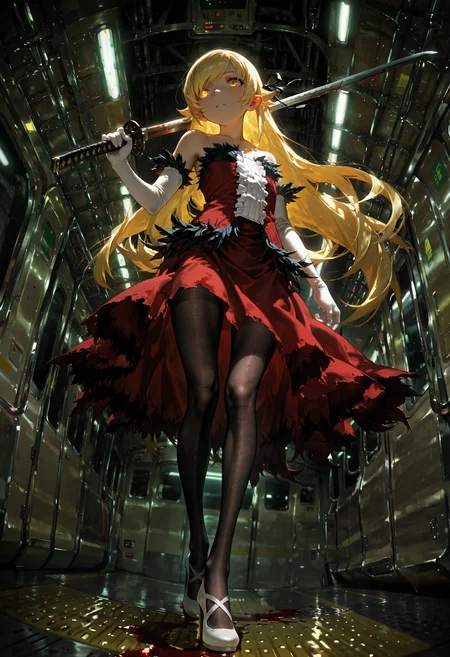
🛠️ Purpose & Design Philosophy
This workflow is a high-fidelity environment built for Illustrious. It prioritizes stability and professional texture over generation speed. It follows an "all-in-one" philosophy: configure your prompts, hit queue, and let the workflow handle the multi-stage refinement from start to finish.
Not for Speed: This is a heavy-duty refinement tool. If you want 2-second previews, use a basic workflow.
Personal Use: Built for my specific production needs. It is shared as-is for those who want a "set-and-forget" pipeline for Illustrious. Adjust the settings and models to fit your needs. The defaults on v19+ will be what I used for the sample images.
All-in-One Logic: The workflow handles generation, detailing, and upscaling in one continuous pass.
If you're needing something with more features: Try checking out Silly All-in-one, Multiple Characters With Regional Loras which is on civitai. I have no plans to implement additional features.
⚠️ Disclaimer & Compatibility
Install at Your Own Risk: Custom nodes can break your environment. I am not responsible for troubleshooting your specific installation.
ComfyUI: Built and tested on the non-app version. Desktop app users may face additional hurdles.
The "Your Version" Factor: Your node versions and environment are 99.9% likely to differ from mine.
Nodes 2.0: I do not recommend using Nodes 2.0. It creates unpredictable UI behavior; I will not provide support for issues involving this feature.
🤝 Support & Boundaries
I have not and never will monetize my workflow. CivitAI is the only platform I am maintaining this workflow on. If you find a version of my workflow posted and/or monetized anywhere and use it, then whoever posted it is responsible for providing you any support. This is the main reason why I don't monetize this: I don't want to be or feel obligated to provide support.
No DMs: DMs are disabled due to repeat spam. Please check the Discussions tab below; most questions have already been answered.
Modifications: You are free to hack this workflow apart. However, you are responsible for fixing it if it breaks.
Custom Requests: I do not make private workflows. If you need a custom solution, post a Bounty on CivitAI. There are many talented creators ready to help you for a fee.
Description
FAQ
Comments (17)
One thing I have noticed with the CLIPSeg nodes near USDU (in v17a-Experimental) is that if the masks overlap, they bug out. Edit: I don't have a good fix for this tbh. Tried a few things and they don't work as expected. Just try not to overlap the masks in the meantime.
Will there be a workflow fitted for the anime checkpoint?
I use Better Days almost 90% of the time and try some others. I'm not a fan of overly flat colors and such.
This should work with any Illustrious/Noob checkpoint in my experience of trying out new models.
If you have a preferred anime checkpoint, I can try it out, but I'm not making any promises on the results I like being the results you will like.
@Gladas thanks a lot for the reply. I was thinking of this entirely different model:
https://civitai.com/models/2359125/anima
It's small, but very powerful. I tried getting it in your workflow, but it's not done with simply exchanging the model and clip, so it's already way over my head lol.
You should give this new model a try, I find it more dynamic and has great prompt adherence.
@IntelGore yeah you're gonna have to jump through some hoops to get that working with this workflow.
I think it's best to use a workflow aimed at that particular type of model. Just at a glance, you're having to use Qwen VAE and Text Encoder.
I'll take a look at that model sometime and see what other people are doing with it as far as workflows go.
I checked out one of the Anima fine tune models and fortunately the author has the nodes embedded in his image samples. I don't think Anima needs a big workflow like what I use. I'm not even sure it's compatible with USDU. I'll mess around with it a bit, but I think my workflow would be overkill for Anima based models.
My early testing shows it will work with this workflow, but it's really slow in comparison. As mentioned earlier, this workflow may be overkill for Anima models.
The live previews when using Anima models suck. This isn't the fault of the model, it's just because of the file it requires for a clear live preview makes it appear super faded. The actual result is not faded, which can be seen in the Image Comparer nodes and and Preview Image nodes.
Epsilon Scaling has to be removed/bypassed.
The checkpoint loader has to be swapped out for a Load Diffusion Model node. The output then is fed into the various applicable model inputs throughout the workflow.
A Load CLIP node has to be added since the models I have tried so far do not have the CLIP baked in. The output from this node is then fed into the CLIP input on the Power Lora Loader node.
The SMC-CFG nodes have to be adjusted if used. Dropping the Lambda to 5 and the "k" to 0.4 per Gemini.
Using the denoised_output instead of the regular output from the SamplerCustomAdvanced node is also the better way to go before USDU since the leftover noise can result in funky edges.
I'm still testing stuff, but so far I'm personally not a fan of Anima. Maybe when it becomes more finetuned I'll dive deeper into it. I'll try a few more Anima models and see where it takes me.
Anima also does not play nice with the Detailers if detected objects are not near each other like if there are two hands. It end up taking a minute per step. This could be due to my settings though. I'm having Gemini go over this with me.
@Gladas damn, thanks for investing this much time and effort into my simple question. I hope you'll find interest in this model, I have a feeling it could become big.
Yeah, I couldn't even get it to work with Ultimate upscaler, which would be really nice to have, as the outputs are often too mushy.
@IntelGore I'm currently modifying 17b to work with Anima, but the hang-up is the model name being sent to Image Saver properly for either Anime and Illustrious. I am seeing if I can keep this part automatic, otherwise I will have to resort to a manual toggle. Otherwise it's fully working with Anima.
Alright, it seems to be working. I'll be posting it soon. Anima users will need to be aware that they are gonna have to toggle things off/on for it to work. I'll leave some notes on the workflow, but it I get spammed asking why it doesn't work (because they didn't read) then I'll probably drop it from the workflow.
@IntelGore v17c is fully compatible with Anima now. Enjoy (or suffer) depending on your hardware!
@Gladas crazy, I'll give it a try immediately.
Hello, I’m having an issue where the images generated by my workflow always appear to have a hand-drawn style and a yellow background. My checkpoint and LoRA seem to be working correctly, and I’m not sure what settings I should adjust to resolve this problem.
Not sure. This is a little vague and I'm not the comfyUI god. You said on your workflow, so I'm going to assume you mean you made a workflow, but this applies when I use my own workflows too. When I troubleshoot things, I can literally be spending 12+ hours or more only to find it was one little thing like a number or a word causing the whole mess.
I really recommend using your preferred chatbot when troubleshooting anything comfyUI.
I'm going to respond with what I do on my own workflows under the assumption you didn't try any troubleshooting (even if you did) and that the problem is happening on the initial image, so don't take what I am recommending as a personal attack.
First, stop using any loras when troubleshooting. If your issue suddenly goes away, then you know the culprit. Keep them off until your issue is resolved during troubleshooting.
Bypass any extra stuff like model patches, detail daemon, anything like that. It should just be the bare minimum stuff to get the initial image to generate. If it's fine at that point, then it's one of those things you bypassed.
Next:
Go barebones on prompts. (e.g. positive: masterpiece, 1girl, sitting, looking at viewer, shorts, shirt / negative: worst quality).
If it's suddenly fine when trying that, then it's your prompts.
Next, if that didn't work:
Use the recommended settings of the model you are using. I would assume author of the merge/checkpoint knows what they are talking about.
Next, if that didn't work:
Try a different model.
Try a different sampler/scheduler.
Try different step count.
Try a different CFG.
Next if that didn't work:
Start a new workflow from scratch with a barebones setup for the initial image and slowly add stuff that you had up to the initial KSampler after each successful generation without the issue.
If you're using one of my workflows and this is happening, I'd say use whatever worked best for you previously. I just share what I am trying out and/or am currently using. My workflows are not guaranteed to work for anyone but me.
@Gladas
Thank you very much for your reply.
I am using the latest v17 workflow you shared. Apart from replacing the models that I don’t own in the workflow, I haven’t made any other adjustments or written any prompts.
After reading your reply, I realize that my previous tests only involved switching different modules on and off. I haven’t tried adjusting many parameter values or modifying the art style through prompts.
Next, I plan to test the workflow following the order you mentioned.
Thank you again for your reply. The workflow you shared is truly excellent. I had been using v16 before, and it also generated great results. However, my laptop has rather low specifications, so I couldn’t run many features at the same time.
@h3047489048 no problem, hope you're able to get it figured out! There's a lot of little things that can break image gens, even just a single number or word.